Bank statements
Move monthly transaction tables from PDF statements into spreadsheet-ready rows.
PDF Table Extractor helps accountants, financial analysts, students, researchers, lawyers, and small teams extract tables from PDFs directly in Chrome. Copy clean rows, export CSV, and upgrade when you need multi-page PDF table extraction.
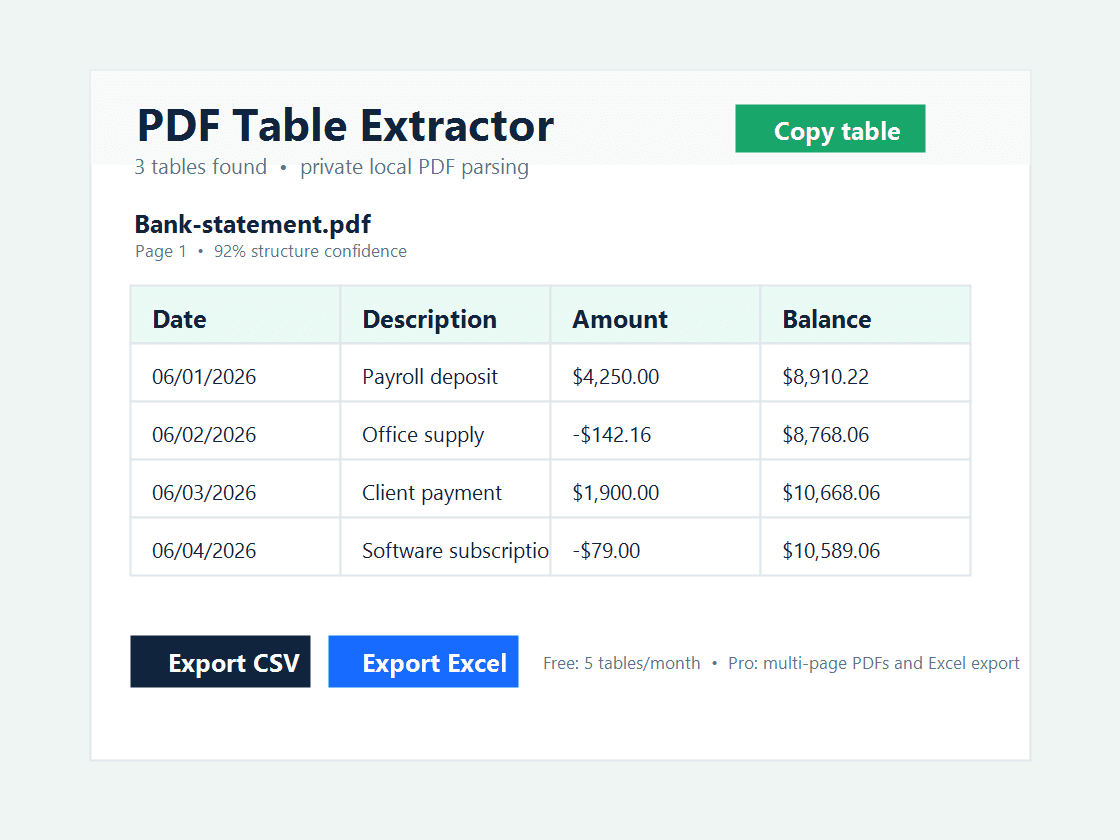
Manual PDF copy-paste breaks columns, merges rows, and wastes time. This extension focuses on the specific workflow people search for: copy table from PDF to Excel, extract bank statement PDF to Excel, and convert invoice PDF tables to spreadsheets.
Move monthly transaction tables from PDF statements into spreadsheet-ready rows.
Extract invoice line items, quantities, dates, and totals from selectable PDF text.
Copy academic, legal, finance, and market research tables without rebuilding them by hand.
Free users can extract up to 5 tables per month, copy tables to the clipboard, and export CSV. Pro is designed for professionals who process multi-page reports, statements, invoices, and recurring PDF data.
PDF Table Extractor is built for people who need to copy PDF tables into Excel, CSV, or spreadsheets without uploading confidential files to an external website.
Yes. The extension lets you extract a detected PDF table, copy it as tab-separated values, export CSV on the free plan, and export an Excel-readable file on the Pro plan.
No. The MVP parses PDF text locally in Chrome. Your PDF stays on your device while the extension reconstructs table rows and columns from the document text layer.
It is designed for bank statements, invoices, reports, research tables, and PDF documents with selectable text. OCR for scanned statements is planned as an optional Pro workflow.
Install PDF Table Extractor and turn PDF tables into spreadsheet-ready data from your browser.
Read the privacy policyInstall Chrome Extension